Connect to your Windows RDP server
Use Remote Desktop Connection on a Windows PC to access your remote Windows desktop. Have the server address, username and password from your service details ready.
Updated 23 November 2026. These instructions cover the built-in Windows client.
Connect with MSTSC
Get your connection details
Once your Windows Server 2022 RDP service is provisioned, copy the static IPv4 address, Administrator username, and password from your billing area.
Open Remote Desktop Connection
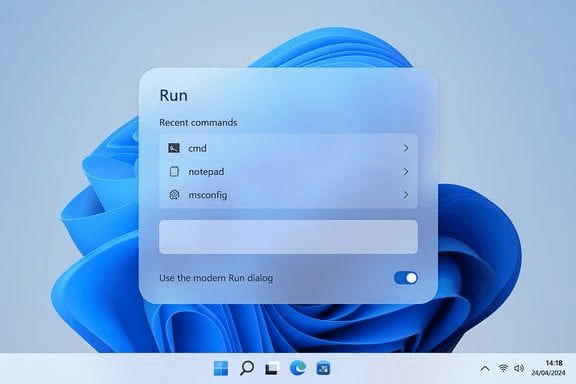
On a Windows PC, press Windows + R, type mstsc and press Enter. On macOS, iOS, or Android, open Microsoft Remote Desktop / Windows App.
Enter the server address
Enter your assigned server IPv4 address in the Computer field. Include the port number only if specified in your service details, then select Connect.
Verify certificate and sign in
Verify the remote computer identity prompt and sign in with Administrator and your supplied password. Change your password inside Windows after first login.
For a specified port, enter the address in the form server-address:port. Microsoft documents the client options and supported syntax. MSTSC command reference.
If the connection fails
- The server cannot be reached
- Check the address, any supplied port and the server power state in your service panel. Record the exact error and when it occurred. Send those details to support so they can check the service and network.
- The credentials are rejected
- Use the username supplied for the Windows service. Check keyboard layout and accidental spaces when entering the password. Your billing account password may be different from your Windows password.
- The desktop is slow after login
- Open Task Manager and observe CPU, memory and disk usage while the problem occurs. Record the application workload and your connection location. This helps distinguish resource pressure from network delay.
Include your service ID and an error screenshot with sensitive details removed. Open a support ticket.
Choose resources for your workload
Record peak usage with the applications you intend to run together. Compare the RAM, virtual CPU and storage requirements against the Windows RDP plans. Your route to Noida also affects responsiveness. See the published India network measurements for context.
Check Windows and application licensing before adding concurrent users. Keep tested off-site backups under the service terms, and review ordering details before purchasing.